Plotting buildup results
These figures show the beam profile, electron cloud buildup, and wall impacts in an LHC dipole simulation. The macroparticle diagnostics and horizontal distributions provide a closer look at the simulation.
Beam and electron population
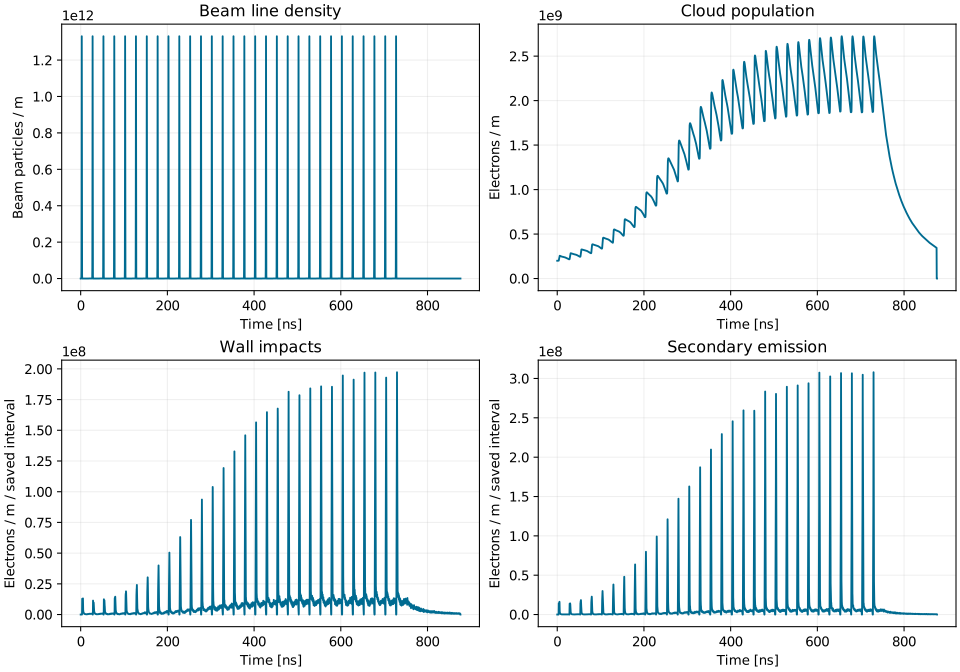
lam_t_array shows the beam line density and Nel_timep the electron
population per metre. Nel_imp_time and Nel_emit_time count impacts and
emissions accumulated over each saved interval, also per metre. Divide by
the saved interval duration to express these counts as rates.
Energy and central density
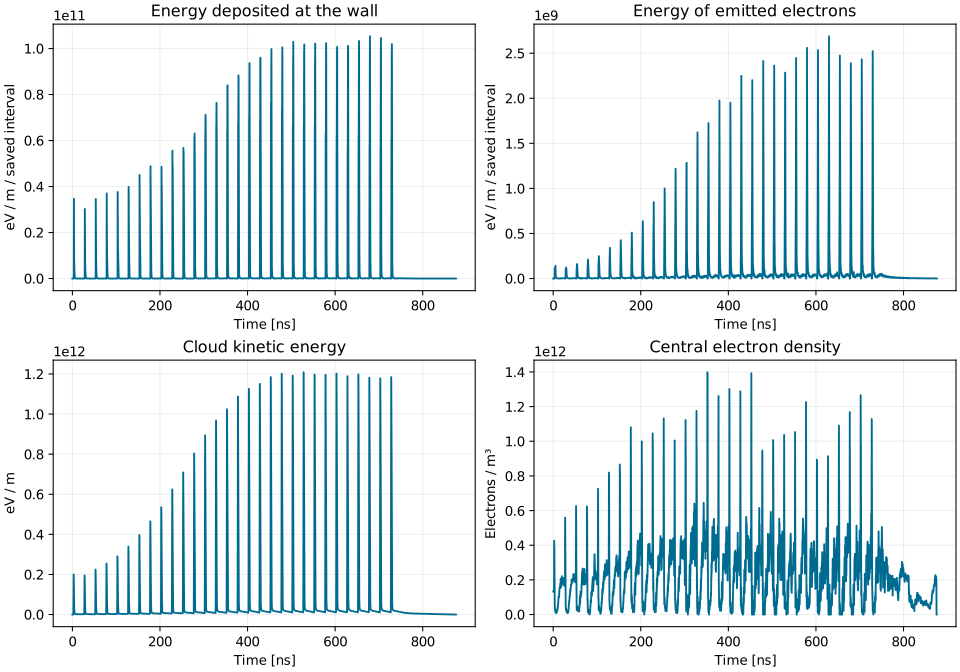
En_imp_eV_time and En_emit_eV_time give the weighted energy of impacting
and emitted electrons during each saved interval. En_kin_eV_time is the
energy of the cloud at the saved time. These energies are normalized per metre
along the beam. cen_density measures the volume density near the chamber
centre, within the radius set by r_center.
Macroparticle diagnostics
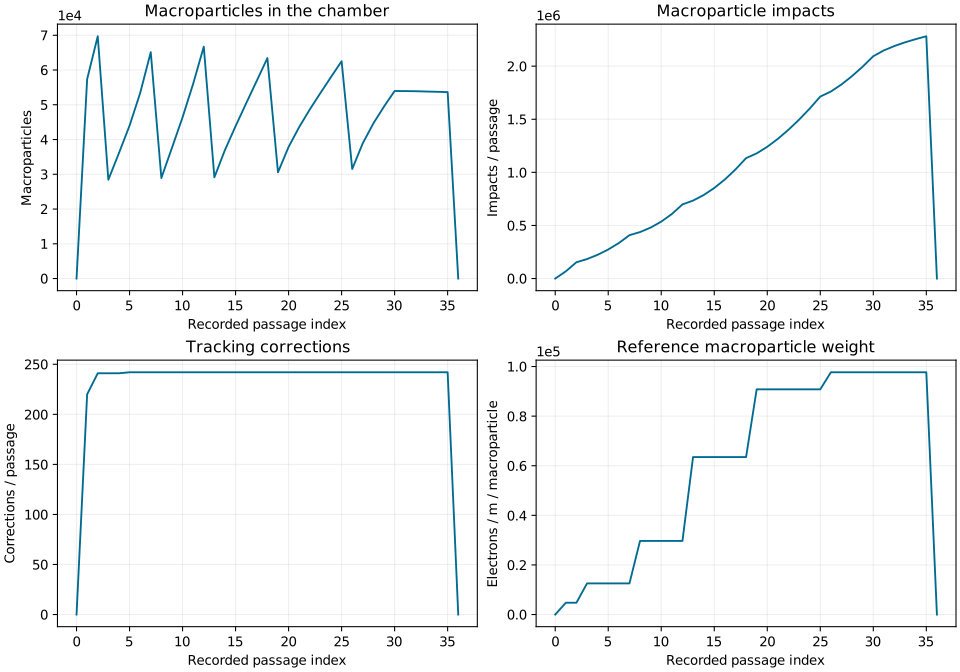
N_mp_pass counts simulation macroparticles, while N_mp_ref_pass records
their reference weight. N_mp_impact_pass and N_mp_corrected_pass track
impacts and tracking corrections during each passage.
Histograms by passage and position
The horizontal histograms have shape (number of passages, number of bins).
Rows correspond to t_hist; columns correspond to xg_hist.
from PyECLOUD.myloadmat_to_obj import myloadmat_to_obj

data = myloadmat_to_obj("Pyecltest.mat")
electrons_per_passage = data.nel_hist.sum(axis=1)
population_sum_by_position = data.nel_hist.sum(axis=0)
Summing over bins (axis=1) gives one value per recorded passage:
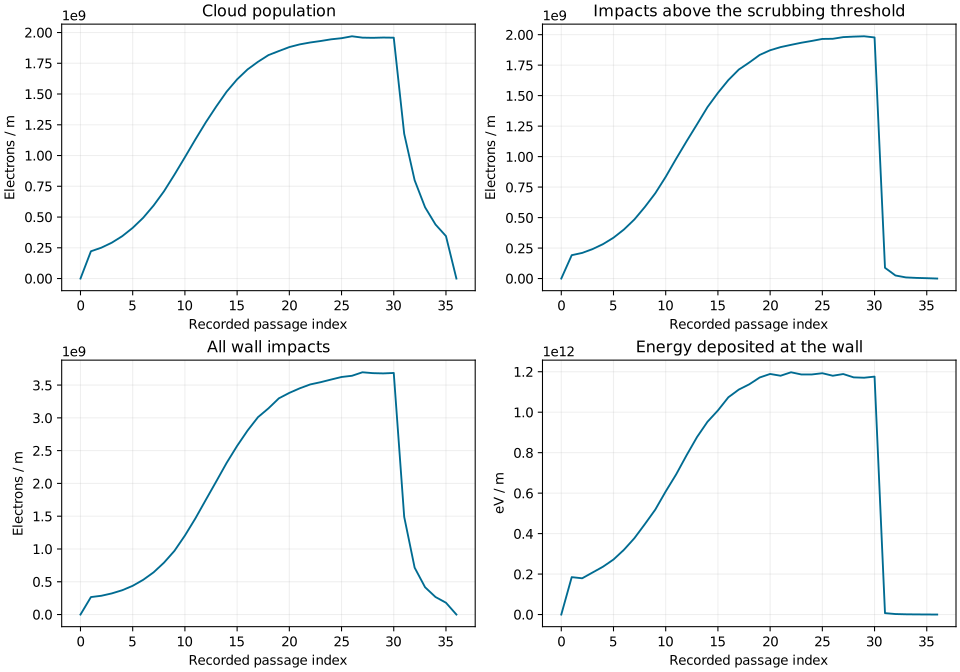
Summing over passages (axis=0) gives the accumulated horizontal distribution:
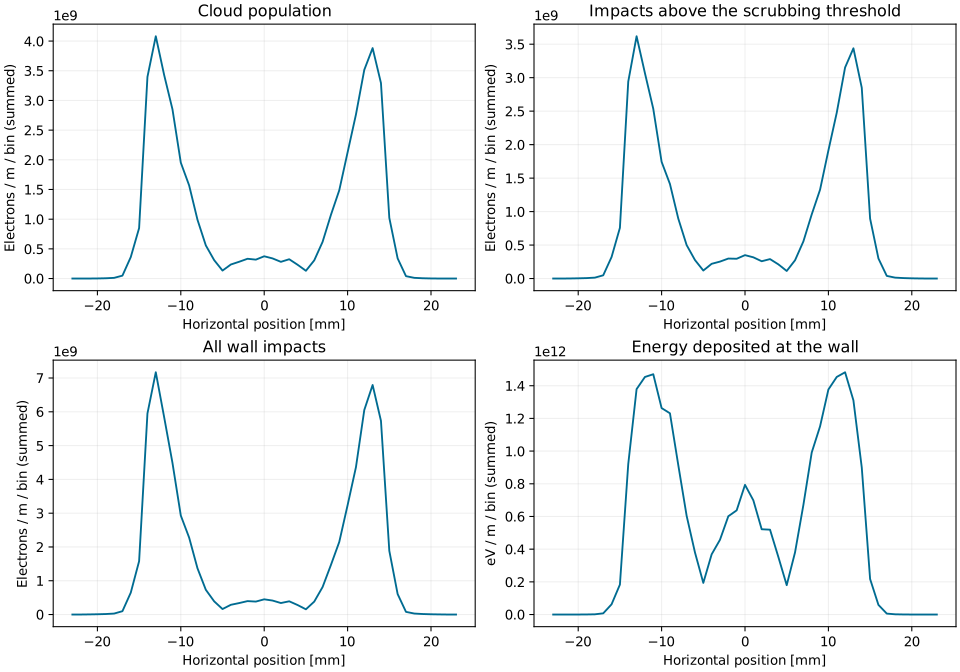
For nel_hist, this sum combines population snapshots: the same electron can
contribute at several passages. It is not a count of distinct electrons.
For the impact histograms, it combines impacts recorded across the passages.
nel_impact_hist_scrub selects impacts above scrub_en_th.
The plotted values are per bin. Divide by the bin width to obtain a density per unit horizontal position, or by the number of records to average snapshots.
Reproduce these plots
The figures use the saved LHC dipole reference data from the original manual:
testing/tests_buildup/LHC_ArcDipReal_450GeV_sey1.70_2.5e11ppb_bl_1.00ns/Pyecltest_angle3D_ref.mat
Download plot_buildup_outputs.py
and pass this file’s path to regenerate the figures. To plot your own output,
run it beside Pyecltest.mat:
python plot_buildup_outputs.py Pyecltest.mat
The script writes five SVG figures to buildup-plots/ using the fields
shown on this page. The output reference describes
these fields and how to load them with myloadmat_to_obj.
Results from a new run can differ with the software version, input settings,
and random particle sampling.